Teach Your Way with BenQ Titelbild

Teach Your Way with BenQ

Teach Your Way with BenQ

Von: Hosted by the edtech enthusiasts within BenQ from Marketing Sales Engineering & Leadership
Jetzt kostenlos hören, ohne Abo

Nur 0,99 € pro Monat für die ersten 3 Monate

Danach 9.95 € pro Monat. Bedingungen gelten.

Über diesen Titel

Teaching should inspire, not overwhelm. Teach Your Way with BenQ is the podcast built for educators, school leaders, and technology decision makers who want to make teaching easier, learning more engaging, and classrooms more connected. Every episode brings you stories, strategies, and insights on how technology and innovation can transform the way students and teachers experience education. From interactive displays to collaborative tools and future ready teaching solutions, this podcast is your trusted guide for turning classrooms into vibrant spaces where learning comes alive. Education is moving fast, and teachers face more challenges than ever. Balancing curriculum demands while integrating new technologies can feel impossible. Teach Your way with BenQ helps you stay ahead by showcasing tools and stories that are proven to work in real schools with real students. Guests include teachers, administrators, technology specialists, and industry experts who share how they have boosted student engagement, overcome obstacles, and created lasting impact with the right solutions. Each episode is built around the educator experience. You will hear what is working in classrooms across the country and beyond, the small changes that create big wins, and the inspiring stories that remind us why teaching matters. Whether it is using digital whiteboards to bring lessons to life, leveraging collaboration platforms to give every student a voice, or exploring creative ways to keep kids engaged, Teach Your Way with BenQ highlights the innovations that make education both human and effective. This show is not about technology for technology’s sake. It is about meeting teachers where they are, simplifying their daily routines, and helping them do what they do best: inspire the next generation. If you want to bridge the gap between traditional teaching and digital learning, you will find the support you need here. Here is what you can expect from Teach Your Way with BenQ : Conversations with educators and experts about the real challenges of teaching today Practical tips and tools that you can use in your classroom immediately Stories that show how technology fosters creativity, collaboration, and curiosity A behind the scenes look at how BenQ partners with schools and districts to support teachers and empower students Episodes are short, focused, and packed with value. In just 15 minutes you will walk away with a new idea, a fresh perspective, or an insight you can apply in your school. Whether you are a teacher looking for new ways to engage students, a school leader balancing resources and outcomes, or an IT director choosing the right solutions, Teach Your Way with BenQ is designed to meet you where you are. This podcast is practical, inspiring, and grounded in the realities of today’s classrooms. Join us as we explore what is next in education. When teachers are supported, students thrive. When technology works with educators, classrooms become powerful spaces of connection, curiosity, and growth. Subscribe to Teach Your Way with BenQ on Apple Podcasts, Spotify, or your favorite podcast app. And do not just listen, share your stories, your challenges, and your wins. Because this podcast is not just about technology, it is about you. Hosted by the edtech enthusiasts within BenQ from Marketing, Sales, Engineering, and Leadership.Copyright 2025 Hosted by the edtech enthusiasts within BenQ from Marketing, Sales, Engineering, & Leadership
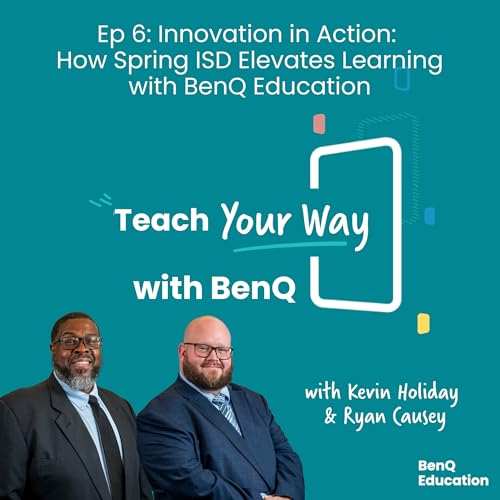
  • Innovation in Action: How Spring ISD Elevates Learning with BenQ Education
    Dec 16 2025

    In this episode of Teach Your Way with BenQ, host Carly Burton speaks with Kevin Holiday, Director of Instructional Technology, and Ryan Causey, District Instructional Technology Specialist from Spring ISD. They discuss the district’s transition from projectors to BenQ interactive boards, how it has transformed classroom instruction, and the impact on teachers and students. Kevin and Ryan share real-world examples of enhanced engagement, collaborative learning, and workflow efficiencies, including hands-on science labs, interactive anchor charts, and adaptive lesson planning. Listeners will gain actionable insights on leveraging BenQ technology to personalize learning and empower students in modern classrooms.

    What You’ll Learn:

    ✅ How Spring ISD transitioned from projectors to BenQ Boards in every classroom

    ✅ Ways the boards increase student engagement, collaboration, and active learning

    ✅ How teachers shift from “purveyors” to guides of learning with interactive technology

    ✅ Strategies for integrating adaptive learning software with BenQ Boards

    ✅ Real examples of student-created anchor charts, live problem-solving, and competition tools

    👉 Discover interactive teaching tools, guides, and resources to elevate your classroom with BenQ Boards: https://www.benq.com/en-us/education.html

    Key Timestamps:

    00:00 Welcome to Teach Your Way with BenQ

    01:15 Meet Kevin Holiday & Ryan Causey, Spring ISD Instructional Technology Leaders

    03:00 Transitioning from projectors to BenQ Boards: bond initiative overview

    05:00 How interactive boards engage students and improve collaboration

    07:30 Teacher role evolution: guiding learning versus delivering content

    10:00 Real-world examples: science labs, anchor charts, and adaptive software

    13:30 SAMR model: substitution to redefinition using BenQ Boards

    16:20 Early adopters sharing innovative teaching strategies with peers

    18:50 How boards enhance lesson planning and reduce workflow friction

    21:00 Student engagement tools: Team Posts, competitions, and collaborative learning

    24:15 Future goals: blended learning, personalized instruction, and closing learning gaps

    Key Takeaways:

    💎 BenQ Boards transform classrooms by making lessons interactive, collaborative, and student-centered

    💎 Teachers move from content delivery to guiding learning, improving engagement and creativity

    💎 SAMR framework is naturally supported, allowing gradual adoption from basic to advanced integration

    💎 Real-world examples show students creating anchor charts and solving problems digitally

    💎 Data-driven instruction combined with BenQ technology allows personalization and bridges post-COVID learning gaps

    Guest Bios:

    Kevin Holiday is the Director of Instructional Technology for Spring ISD, leading digital initiatives and teacher technology adoption across the district.

    Ryan Causey is the District Instructional Technology Specialist for Spring ISD, focused on integrating technology, supporting teachers, and enhancing student learning experiences with interactive tools.

    Quotes:

    “You can interact with learning in ways that projectors simply don’t allow. Students are more creative and collaborative.” — Kevin Holiday

    “The BenQ Board allows teachers to guide learning instead of just delivering content. Students are active participants.” — Ryan Causey

    “From anchor charts to live problem-solving, BenQ Boards create opportunities for hands-on, student-centered learning.” — Carly Burton

    Resources & Mentions:

    🌐Learn more at BenQ Education Solutions

    Mehr anzeigen Weniger anzeigen
    18 Min.
  • Expand Your Teaching Toolkit with Canva and the BenQ Board
    Dec 3 2025

    In this hands-on episode, Carly Burton is joined by BenQ Field Application Engineer and trainer Lauren McMillan to explore how teachers can seamlessly bring Canva creations directly into classroom instruction using the BenQ Board and EZWrite software. From live-editing Canva projects on the board to importing full lessons into EZWrite with one tap, Lauren walks through real workflows educators can follow to save time, boost engagement, and teach in ways that feel natural — not time-consuming.

    Whether you’re a Canva-loving teacher or new to BenQ Boards, this episode will help you unlock creative, collaborative, and efficient approaches to digital instruction.

    What You’ll Learn in This Episode:

    ✅ Use Canva directly on the BenQ Board via the Canva app

    ✅ Import Canva lessons into EZ Write for dynamic instruction

    ✅ Combine EZ Write + Canva for powerful split-screen teaching

    ✅ Enhance classroom engagement with floating tools, spinners, and web tools

    ✅ Elevate creativity and student participation with Canva whiteboards + InstaShare

    👉 Try these strategies in your classroom today! Visit BenQ Education Solutions to explore interactive panels, guides, and training resources.

    https://www.benq.com/en-us/education.html

    Key Timestamps:

    00:00 Welcome to Teach Your Way with BenQ

    00:41 Why teachers love Canva for creative lesson design

    02:01 Lauren on using Canva as a teacher and instructional coach

    02:57 How BenQ’s open platform supports existing teacher workflows

    03:13 Using the Canva app directly on the BenQ Board

    04:52 Importing Canva lessons into EZWrite step-by-step

    07:46 Using pens and annotation tools in EZWrite

    09:49 Automatic split screen with EZWrite and Canva

    10:47 Benefits of multitasking and layered engagement

    12:41 Seamlessly utilize features between Canva and EZWrite

    14:51 Why pairing Canva with BenQ enhances engagement

    16:17 Student creativity and engagement using Canva and BenQ

    16:56 Real-world example: 3rd graders using Canva for peer review through InstaShare

    18:54 Using Canva as a live collaboration tool

    19:54 Benefits for Teachers: saving time, reducing distractions, boosting engagement

    20:40 Why the BenQ Board supports “teaching your way”

    Key Takeaways:

    💎Canva + BenQ = Seamless Teacher Workflow: Teachers don’t need to change how they plan or create. The Canva app runs directly on the BenQ Board just like a computer or tablet.

    💎EZWrite Enhances Canva Lessons: Easily import Canva lessons into EZWrite as PDFs or images, then annotate, highlight, and interact with them using pens, spinners, and whiteboard tools.

    💎Multitasking That Keeps Students Engaged: With split view, teachers can display a Canva activity and an EZWrite lesson simultaneously — boosting focus and cutting transition time.

    💎Hyperlinks + Live Collaboration: Link Canva designs straight into EZWrite, open them instantly, and view live student edits in real time.

    💎Saves Teachers Time (and Stress!): No recreating lessons. No switching devices. Just teach your way using the resources you already rely on.

    Quotes:

    “You don't have to recreate what you’ve spent years building — you can use your Canva lessons directly on the BenQ Board with one tap.” — Lauren McMillan

    “The minute teachers stop to switch devices, students lose focus. Split screen with Canva and EZWrite keeps the lesson moving without missing a beat.” — Carly Burton

    “Canva gives teachers creative freedom. The BenQ Board brings that creativity to life in the classroom.” — Lauren McMillan

    Resources & Mentions:

    • Learn more at
    Mehr anzeigen Weniger anzeigen
    24 Min.
  • Why Teachers Are Thankful for Their BenQ Boards
    Nov 19 2025

    The BenQ Education team sits down with a group of passionate educators from Royse City ISD to talk about what they’re truly thankful for: the innovative tools that are transforming their classrooms. From student engagement and collaboration to creative teaching freedom, these teachers share how BenQ Boards have become essential to their daily teaching rhythm.

    Join hosts Carly Burton-Sallay and Madiha Shamsi from BenQ’s MarCom team as they chat with Korie Smith, Kim Villarreal, Samantha Phillips, and Chandra Arvie about how BenQ’s interactive displays empower teachers to “teach their way.”

    What You Will Learn in This Episode

    ✅ How BenQ Boards are helping teachers create more interactive, student-led classrooms

    ✅ Why teachers are grateful for tools that simplify instruction and spark collaboration

    ✅ Real classroom stories showing how easy-to-use tech encourages creativity and confidence

    ✅ Practical advice from teachers for getting the most out of your BenQ Board

    Key Timestamps

    • (0:00) What Teachers Are Thankful for in Their Classrooms Outfitted with BenQ Boards
    • (0:45) Meet the teachers from Royse City ISD
    • (1:49) How BenQ Boards inspire student engagement
    • (4:05) Why gratitude matters in technology and teaching
    • (6:11) The game-changing shift from projectors to interactive displays
    • (8:17) Classroom examples of collaboration and flexibility
    • (8:52) Creating risk-free, confidence-building learning environments
    • (12:12) Exploring EZWrite and the future of interactive learning
    • (14:18) Advice for teachers: Don’t be afraid to try new tools
    • (18:12) BenQ Academy, YouTube, and community resources

    Key Takeaways

    💎 Interactive learning transforms students from observers to creators.

    💎 Simplicity drives confidence both for teachers and for young learners.

    💎 Collaboration builds stronger classrooms and empowered educators.

    💎 Gratitude fuels innovation; when teachers embrace change, students thrive.


    Featured Guests

    • Madiha Shamsi – BenQ Marketing
    • Carly Burton -Sallay – BenQ Marketing
    • Chandra Arvie- Innovative Learning Specialist at Royse City ISD
    • Samantha Phillips - Innovative Learning Specialist at Royse City ISD
    • Korie Smith- 1st Grade Teacher at Scott Elementary with Royse City ISD
    • Kim Villarreal- Innovative Learning Specialist at Royse City ISD


    Resources
    • Learn more at BenQ Education Solutions
    • Explore BenQ Academy for video tutorials and step-by-step training
    • LinkedIn - https://www.linkedin.com/company/benq-america
    • Instagram - https://www.instagram.com/benq_education/
    • Private FB user group - https://www.facebook.com/groups/benqboardusergroup


    BenQ, Teach Your Way, BenQ Boards, interactive classroom, teacher gratitude, Royse City ISD, classroom technology, EZWrite, education technology, student engagement, digital learning, edtech podcast, Thanksgiving, teacher appreciation


    Mehr anzeigen Weniger anzeigen
    20 Min.
Noch keine Rezensionen vorhanden